Skip to content
Businesses Ranker Businesses Ranker
  • News
    • Technology
    • Education
  • Business
    • Brands and Companies
      • LifeStyle
    • Manufacturers & Producers
    • Law & Legal
    • Full Form
  • Finance
    • Banking
  • Crypto
  • Tax
  • Investment
    • Stocks & Trading
  • Loan
  • Insurance
  • Real Estate
  • Services
    • Free Business Listing
    • GST Return Filing Service Delhi
    • ITR Filing Service Delhi
    • Pan Card Apply Service Delhi
    • GST Registration Service Delhi
  • Contact Us
    • Become an Author
  • News
    • Technology
    • Education
  • Business
    • Brands and Companies
      • LifeStyle
    • Manufacturers & Producers
    • Law & Legal
    • Full Form
  • Finance
    • Banking
  • Crypto
  • Tax
  • Investment
    • Stocks & Trading
  • Loan
  • Insurance
  • Real Estate
  • Services
    • Free Business Listing
    • GST Return Filing Service Delhi
    • ITR Filing Service Delhi
    • Pan Card Apply Service Delhi
    • GST Registration Service Delhi
  • Contact Us
    • Become an Author
Close

Search

Banking

SBI UPI Not Working: Possible Reasons & Their Fix!

By Sumit Yadav
October 19, 2023 4 Min Read
0

UPI (Unified Payments Interface) has started becoming an inseparable part of our lives. But sometimes, an advanced system like UPI also doesn’t work, there could be multiple reasons for that. If you are an SBI (State Bank Of India) customer, and your SBI UPI is not working, then keep on reading this post. We will be going over the possible reasons and their fixes one by one.

Possible Reasons Behind SBI UPI Not Working

SBI-UPI-Not-Working

1. SBI Server Down – The most common reason is that maybe the servers of SBI are under maintenance or down as of now. This thing interprets the transactions for sure.

2. App Under Maintenance or Out dated: It could be that the smartphone app (PhonePe, SBI YONO, Google Pay, BHIM UPI, PayTM, etc.) you are using for UPI transactions is under maintenance mode. Also make sure that you are using the latest version of the SBI Anywhere Personal or YONO app from your respective app store (Google Play Store for Android and Apple App Store for iOS). In some cases, if the UPI app isn’t updated, this could result in failed UPI transactions.

3. Check Internet Connection: Ensure that you have a stable and active internet connection on your mobile device. If your internet connection isn’t stable, that can also cause problems when doing UPI payments.

SBI HRMS: Login Process, Services and Benefits

4. Location Settings for UPI Apps: Most UPI Apps require you to keep the location/GPS turned on on your device to keep using their services, and in some cases, that could be the reason behind unsuccessful UPI transactions.
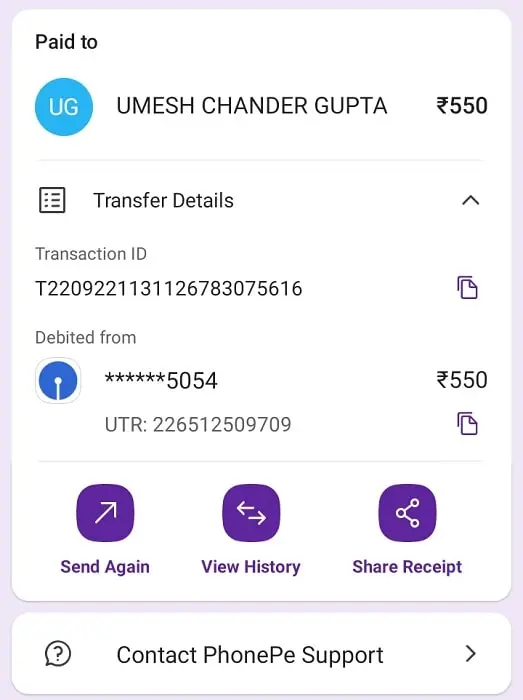
SBI UPI PhonePe Payment

Solutions/Fixes When SBI UPI Not Working Properly

There are some fixes you can try if your UPI linked with the SBI account isn’t working properly.

  1. If the SBI servers are down, then there’s nothing you can do about it. So it is better to wait a little longer until the servers are online again.
  2. If the UPI apps you are using to send the payment or receive the payment, then it is possible that the UPI app you are using is actually under maintenance. Or there could be any other issue with the app itself like it is not updated or cache memory is full. In that case, we suggest you uninstall the app and then reinstall the latest version from the Google Play store.
  3. Another reason could be the unstable internet connection of the UPI transaction isn’t going through. In that case try to switch internet connection, like if you are using WiFi, then switch to the cellular network and try completing the transaction again.
  4. Sometimes it happens when there’s some bug in your smartphone, which is interrupting the UPI transactions. To resolve this problem, simply restart your device, it should work just fine.
  5. When your device’s date and time settings aren’t updated, it can also cause problems when surfing the internet and it can be a possible reason behind UPI transaction failures. In such a case, all you gotta do is just go to your device settings, and update the date and time settings as per your time zone.
  6. If it’s been quite a while since you have updated your device/smartphone, that can also be a reason why many apps aren’t working properly on your phone. For UPI apps to work, your device should be running the latest version of the operating system. Since most UPI apps stop rolling app releases for older operating systems and devices. So before trying to complete the UPI transaction again, make sure your device’s operating system is up-to-date and the latest version is installed.
  7. UPI apps like PhonePe, Google Pay, PayTM, SBI YONO, and BHIM require GPS location turned on on a device to prevent fraud. It is a great approach for security, and compliance purposes. And while attempting to transfer money through UPI, if your device’s location setting isn’t turned on, it can definitely cause a problem. So make sure to keep your GPS or Location settings turned on when carrying out UPI transactions.

State Bank of India (SBI) Net Worth

These are the solutions that always work for people when they are having problems where SBI UPI is not working. Try to find the cause of UPI transaction failure, and then follow the solution mentioned above. If you are still facing issues, then we recommend contacting the SBI UPI team, or the UPI app’s customer support team.


Related Topics

PNB UPI Not Working CANARA Bank UPI Not Working
ICICI UPI Not Working INDIAN Bank UPI Not Working
HDFC UPI Not Working AXIS Bank UPI Not Working
BOB UPI Not Working YES Bank UPI Not Working
IDBI UPI Not Working CITI Bank UPI Not Working
KOTAK UPI Not Working UNION Bank UPI Not Working
Andhra Bank UPI Not Working
Author

Sumit Yadav

Sumit Kumar Yadav has experience analyzing business and finance of big to small companies. Loan, Insurance, Investment data analysis are his key areas.

Follow Me
Other Articles
Bauxite
Previous

Top 10 Largest Producers Of Bauxite In The World

Wealth Management
Next

Financial Touchdown: Wealth Management Strategies for Pro Athletes

No Comment! Be the first one.

Leave a Reply Cancel reply

You must be logged in to post a comment.


Pages

  • About Us
  • Contact Us
  • Terms of Use
  • Privacy Policy

Recent Posts

  • What Is Fintech and How Is It Different From Traditional Finance?
  • What Makes a Cryptocurrency Trading App Reliable for Indian Users?
  • CFDs and Trading Program CPA: How Affiliate Models Pay Traders
  • When Should Directors Seek Insolvency Advice?
  • Selling Old Gadgets Online: An Easy Way to Lower the Cost of Your Next Purchase
  • Search Visibility and Customer Trust: What Bangalore Businesses Should Know About SEO Tools

About Us

At BusinessesRanker, we’re passionate about empowering businesses and individuals with expert insights, rankings, and analysis on the financial world. Our team of seasoned finance professionals and industry experts provide actionable data, in-depth reviews, and trendspotting to help you make informed decisions.

Whether you’re an entrepreneur, investor, or simply want to stay ahead of the curve, BusinessesRanker is your trusted partner in navigating the complex world of business and finance.

Pages

  • About Us
  • Contact Us
  • Terms of Use
  • Privacy Policy

Categories

  • Automotive
  • Banking
  • Brands and Companies
  • Business
  • Cryptocurrency
  • Education
  • Finance
  • Insurance
  • Investment
  • Jobs & Career
  • Law & Legal
  • LifeStyle
  • Loan
  • Manufacturers & Producers
  • News
  • Real Estate
  • Stocks & Trading
  • Tax
  • Technology
  • Travel
  • Tricks & Tips

Archives

  • February 2026
  • January 2026
  • December 2025
  • November 2025
  • October 2025
  • September 2025
  • August 2025
  • July 2025
  • June 2025
  • May 2025
  • April 2025
  • March 2025
  • February 2025
  • January 2025
  • December 2024
  • November 2024
  • October 2024
  • September 2024
  • August 2024
  • July 2024
  • June 2024
  • May 2024
  • April 2024
  • March 2024
  • February 2024
  • January 2024
  • December 2023
  • November 2023
  • October 2023
  • September 2023
  • August 2023
  • July 2023
  • June 2023
  • May 2023
  • April 2023
  • March 2023
  • February 2023
  • January 2023
  • December 2022
  • November 2022
  • October 2022
Copyright 2026 — Businesses Ranker. All rights reserved. Blogsy WordPress Theme